Run your newsletter on your own sender.
Your list, your domain, your reputation.
An invite-only newsletter platform that sends through your own Amazon SES, or the provider you already use, with AI writing help, a real archive website and deliverability handled from the first email.
Every account is approved by a person, usually within a day.
Your sender, your reputation
Connect Amazon SES or the provider you already use. Mail leaves from your account and your domain, never a shared pool.
Many newsletters, one account
Run several publications side by side, each with its own list, domain, sending provider, website and team.
Deliverability built in
SPF, DKIM and DMARC checks, warm-up, one-click unsubscribe, automatic suppression and reputation guards from the first send.
Bring your own sender
Amazon SES by default, or ten more. Connect the account you already have, and the platform does the legwork around it.
- DNS, shown and checked
- The exact records your provider needs, checked on public DNS and rechecked every day.
- Feedback, wired up
- Bounce and complaint webhooks are registered for you and verified, so bad addresses are suppressed.
- Limits, respected
- Each provider's rate limits and batch sizes, a daily cap if your provider has one, and warm-up.
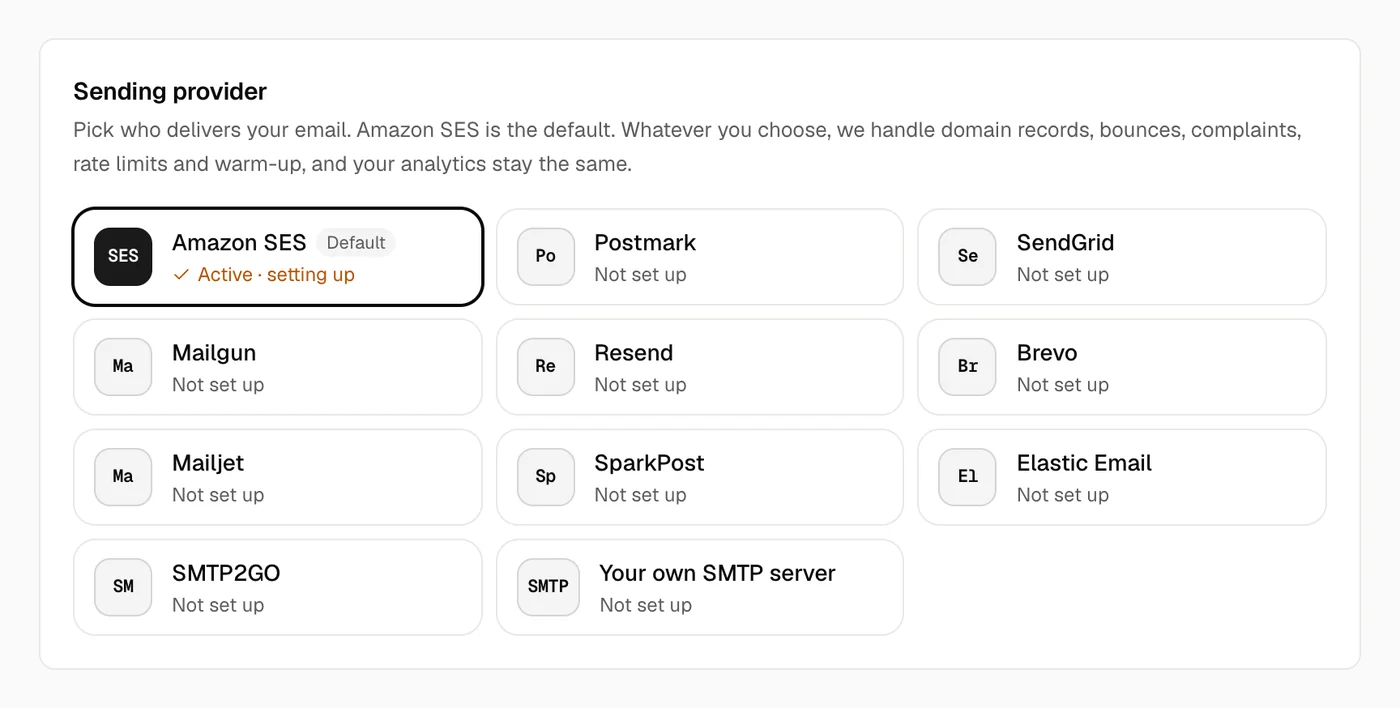
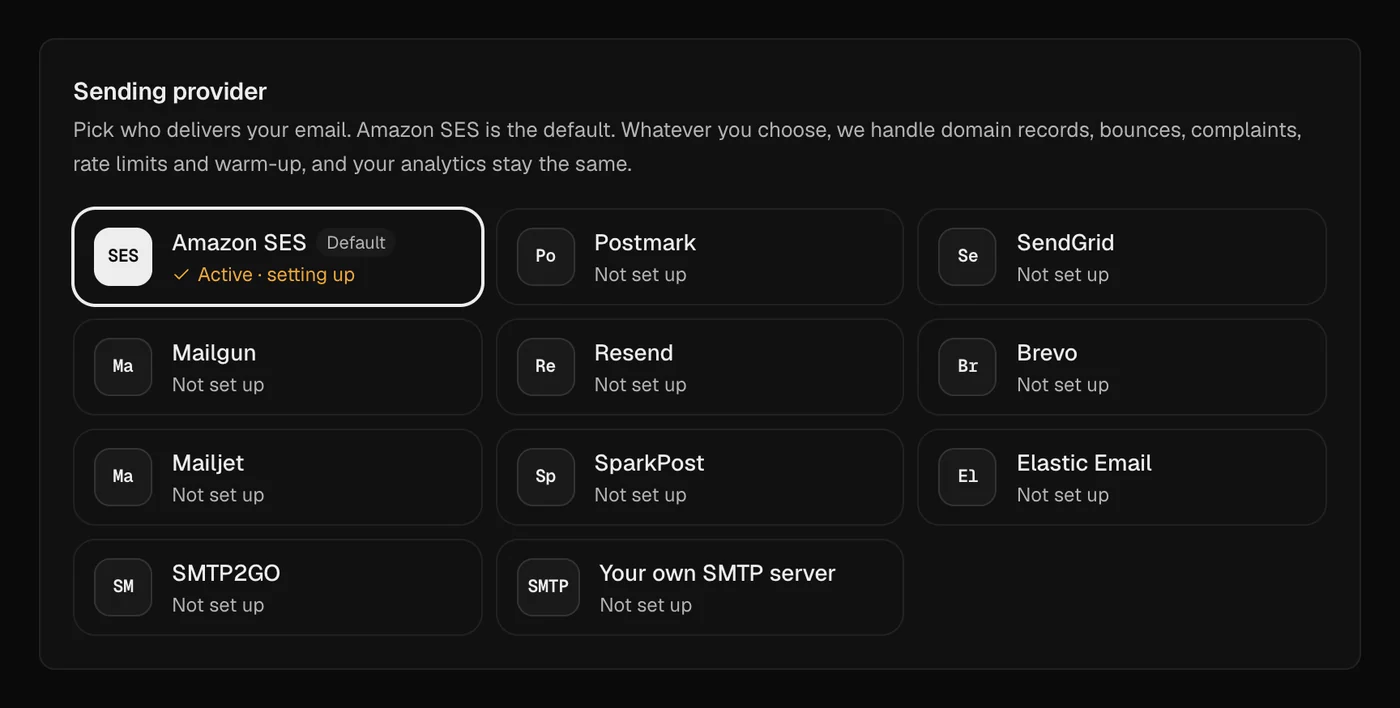
- Amazon SES
- Postmark
- SendGrid
- Mailgun
- Resend
- Brevo
- Mailjet
- SparkPost
- Elastic Email
- SMTP2GO
- Your own SMTP
An editor that helps, and never takes over
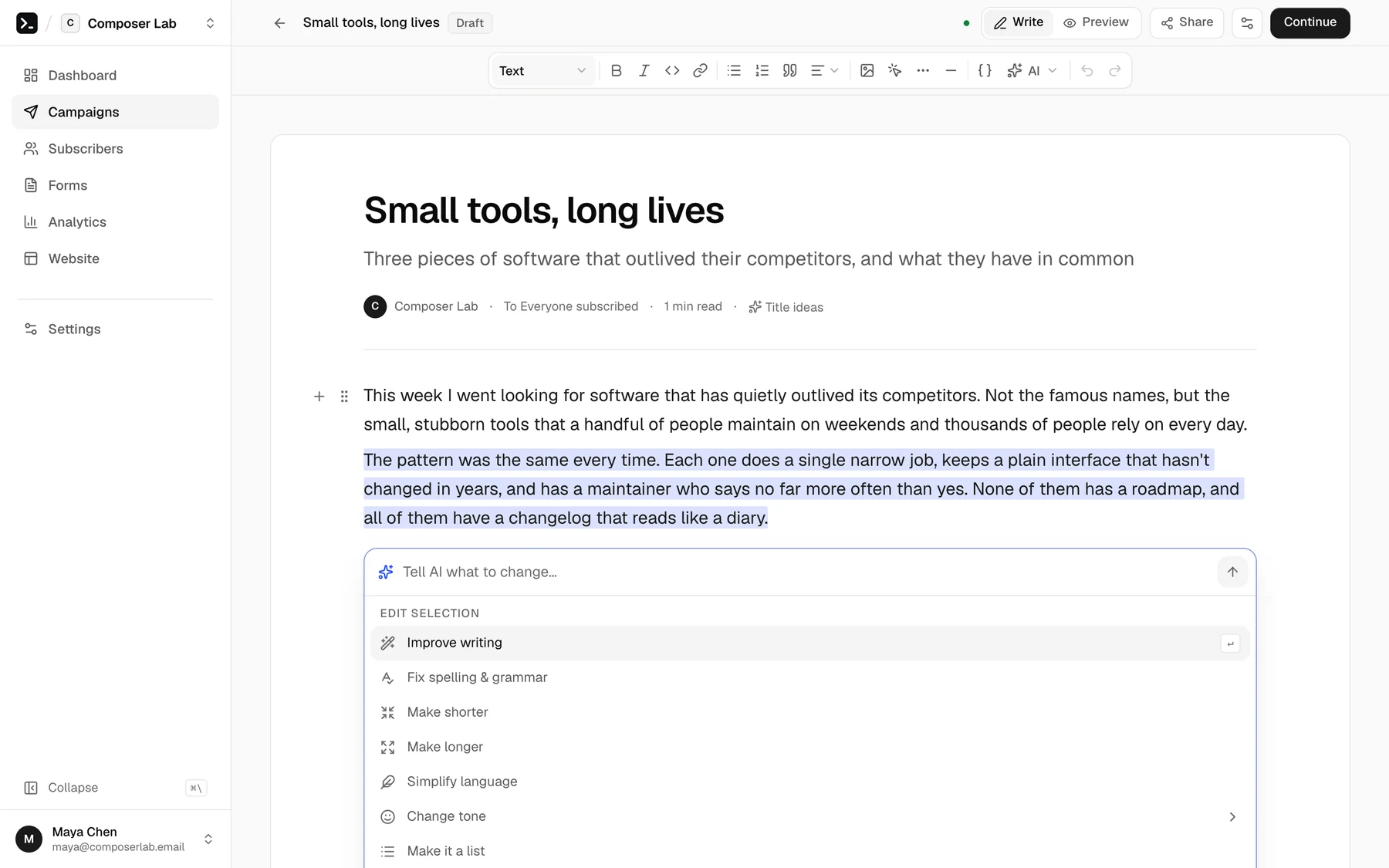
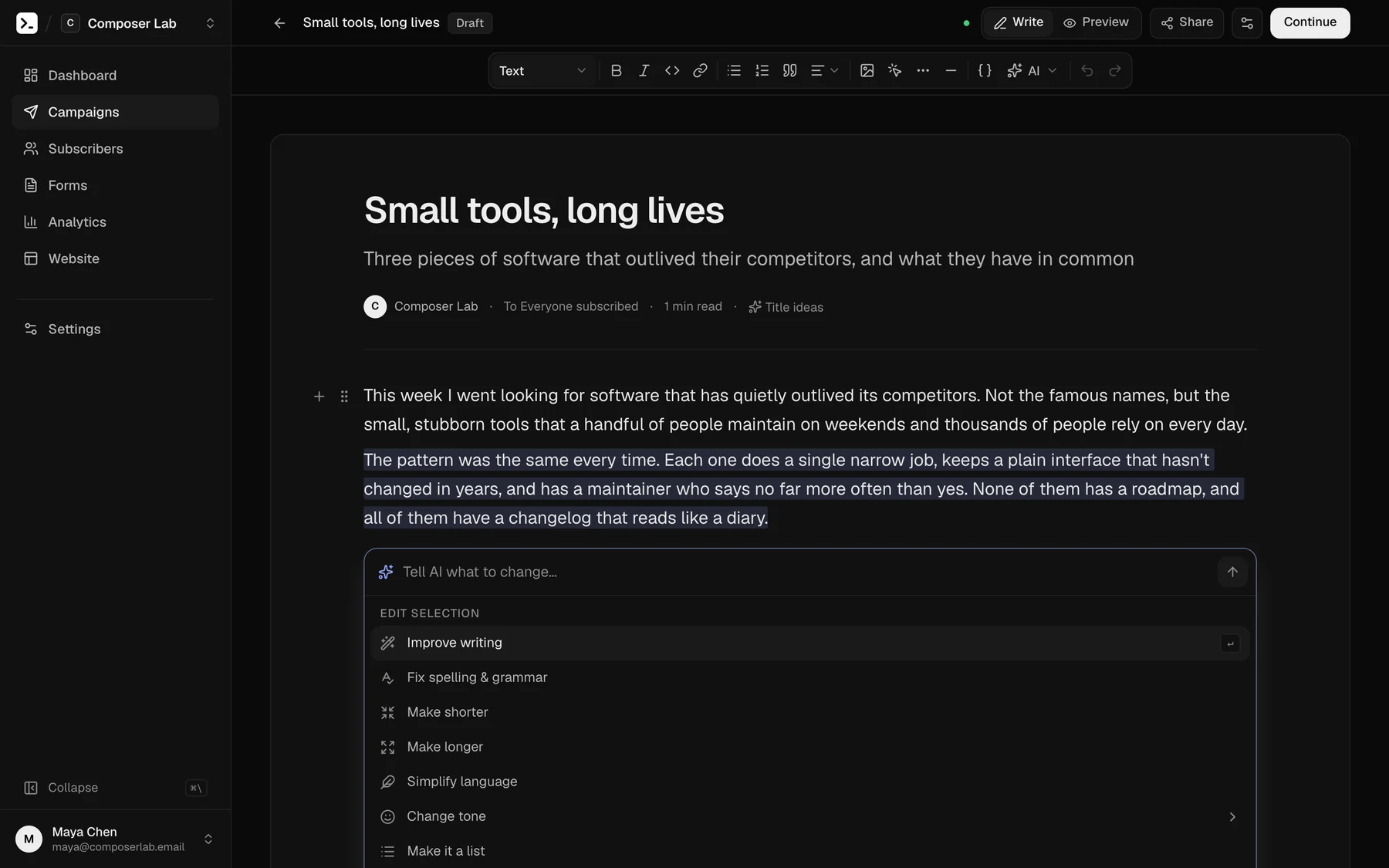
Write in blocks that render in every inbox, Outlook included. Select any sentence and ask AI to improve it, shorten it, change its tone or translate it. You see exactly what changed, and nothing touches your email until you press Replace. It runs on your own OpenAI or Anthropic key.
- Ask AI on any selection, or have it continue, add an intro or a TL;DR
- Text alignment, polls, merge fields and columns that hold up everywhere
- Desktop, mobile, plain-text and dark-mode previews before you send
Find exactly the readers you mean
Build a filter from conditions such as status, tags, source, signup date, engagement, custom fields and welcome-series progress, matched all together or any one of them. Save it as a segment, or act on everyone it finds at once: tag, set fields, resubscribe, unsubscribe, export, and more. Big jobs run in the background with progress.
- Filters that read like sentences, saved as segments
- Bulk actions on thousands of readers, with progress
- Imports with column mapping, and CSV export any time
See problems before your domain does
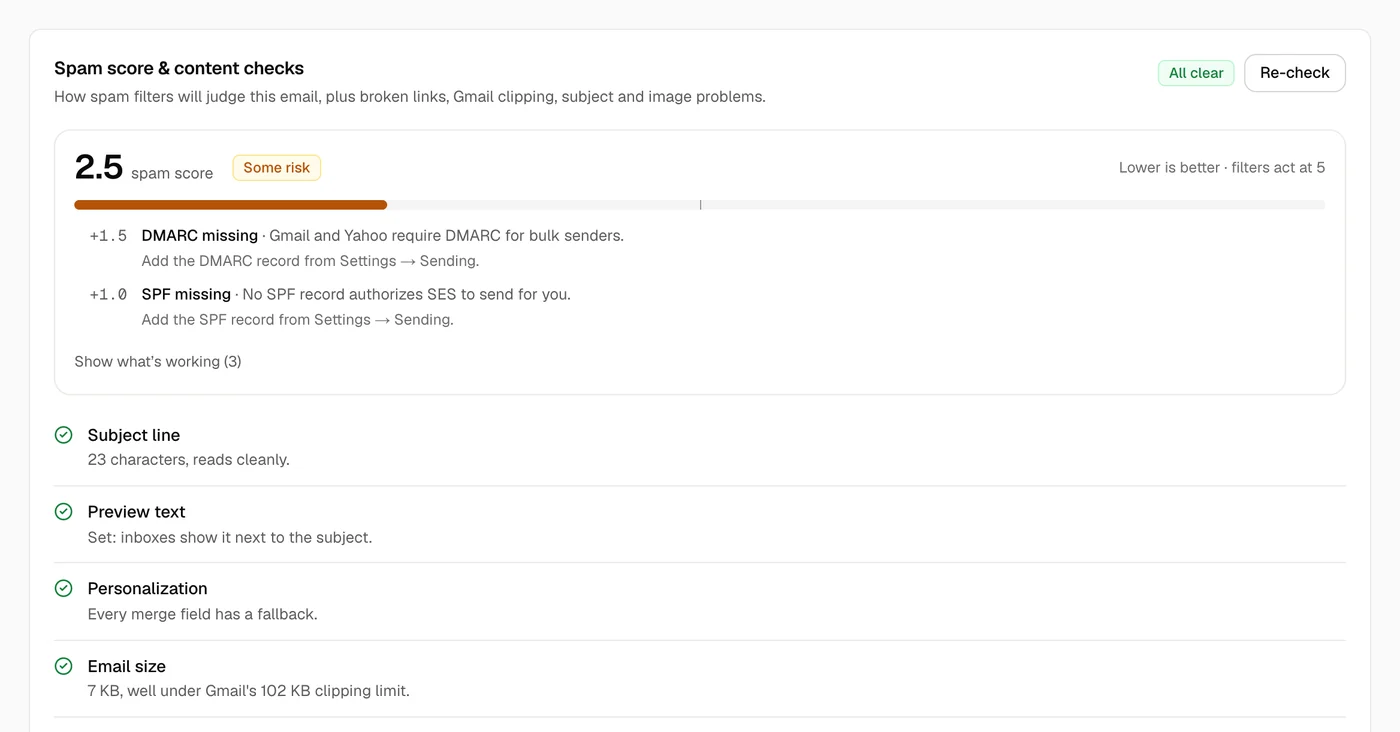
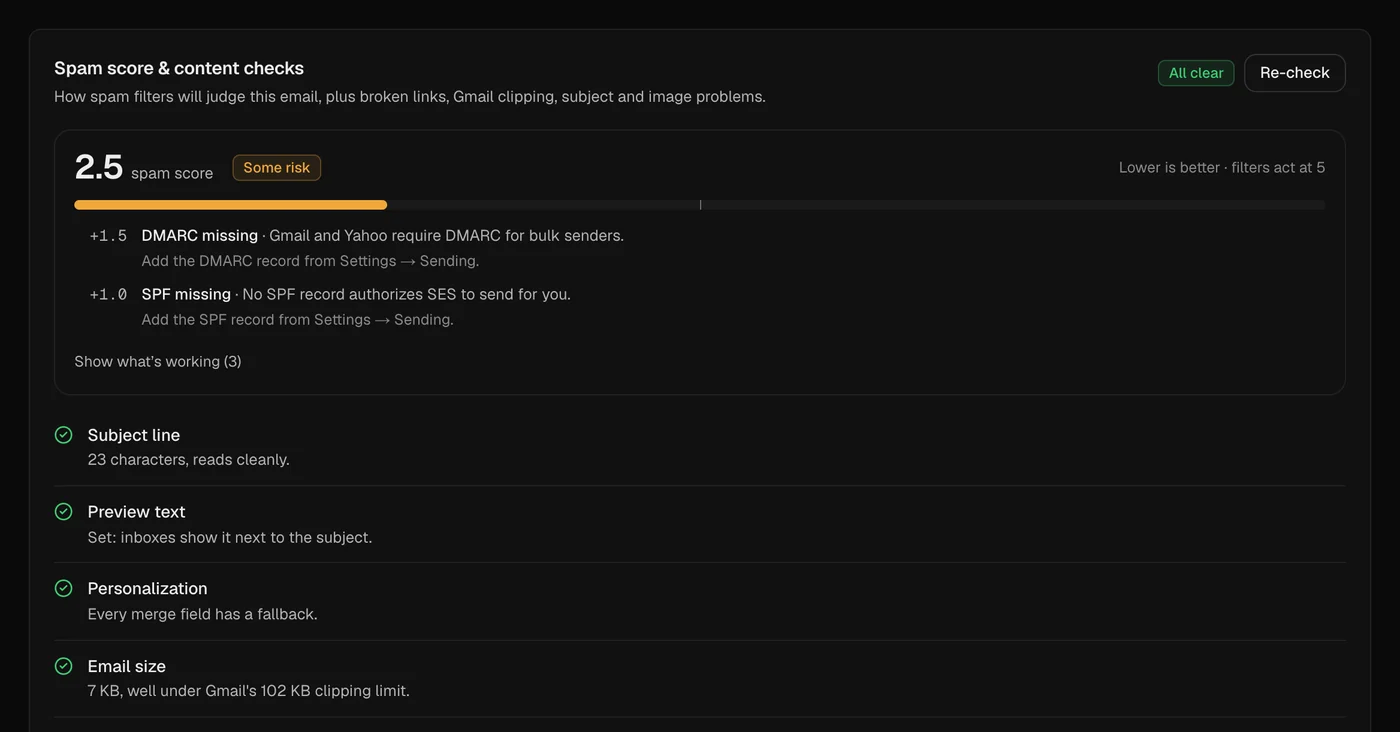
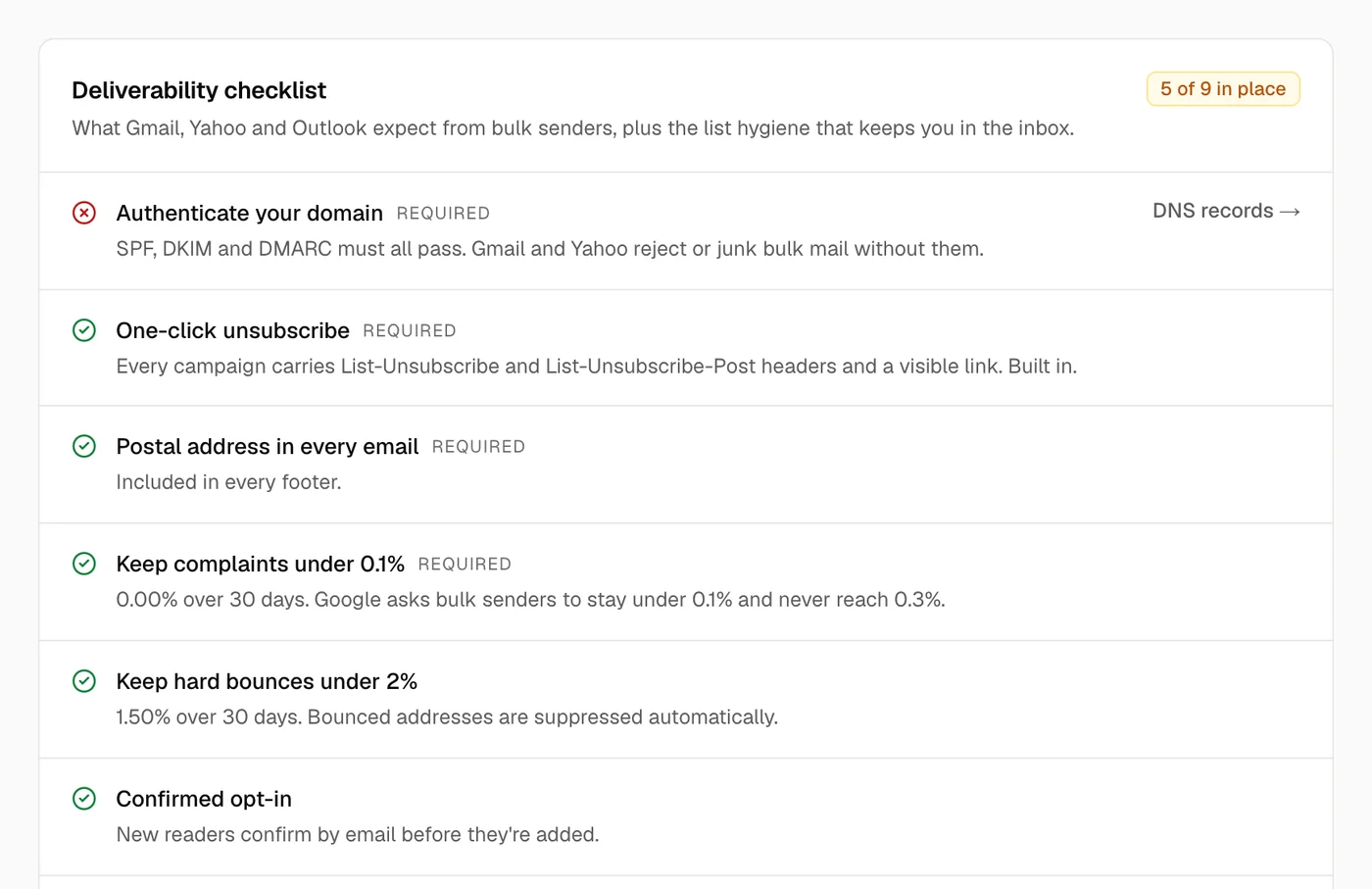
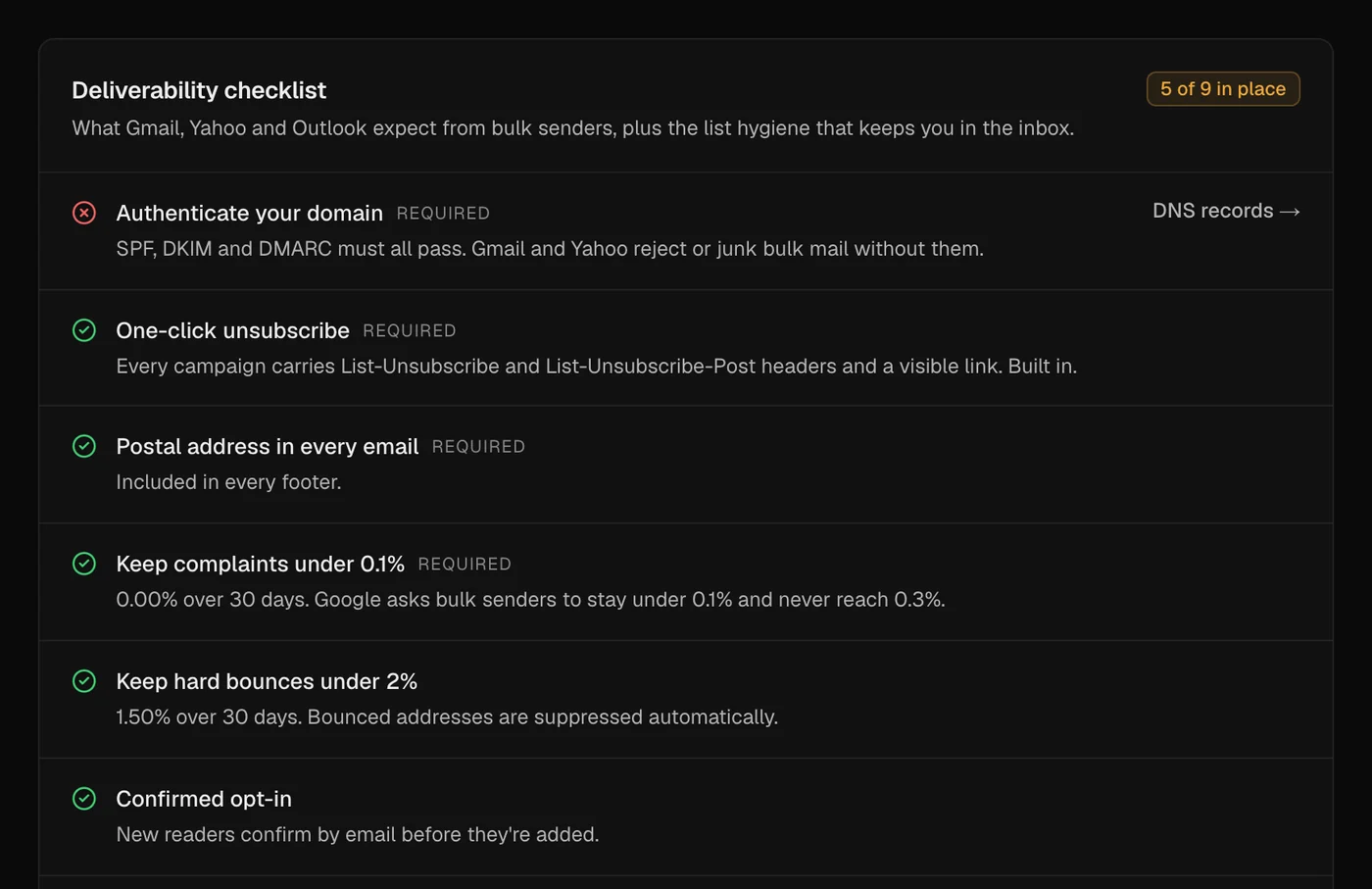
Every campaign is scored the way spam filters score it, with exactly what to fix. A checklist tracks what Gmail, Yahoo and Outlook expect, and warm-up eases a new domain in.
- Spam score and content checks on the review step
- A nine-point deliverability checklist and health score
- A 14-day warm-up, most engaged readers first
- SPF, DKIM, DMARC
- The records your provider needs, aligned SPF through a custom return path, and DMARC guidance. Rechecked daily.
- One-click unsubscribe
- List-Unsubscribe and List-Unsubscribe-Post on every email, so one POST unsubscribes with no page and no sign-in.
- Verified feedback loop
- Bounces, complaints and deliveries come back from your provider, verified before they are trusted.
- Automatic suppression
- Hard bounces and complaints are suppressed for good, and the list is checked again before every email.
- Engaged first
- Every campaign goes to your most engaged readers first, so the early signals mailbox providers see are good ones.
- Reputation guards
- Sending is blocked above a 0.1% complaint rate or a 5% hard bounce rate, with a warning at half of each.
Numbers you can actually trust
Apple Mail opens every email automatically and corporate scanners click every link. newsletter.sh counts Apple's automatic opens apart and ignores scanner clicks entirely, so engagement, segments and A/B results reflect people.
- Click rate first; opens clearly marked as indicative
- Clicks per link, hour by hour, and against your recent issues
- Shareable sponsor reports with no subscriber data
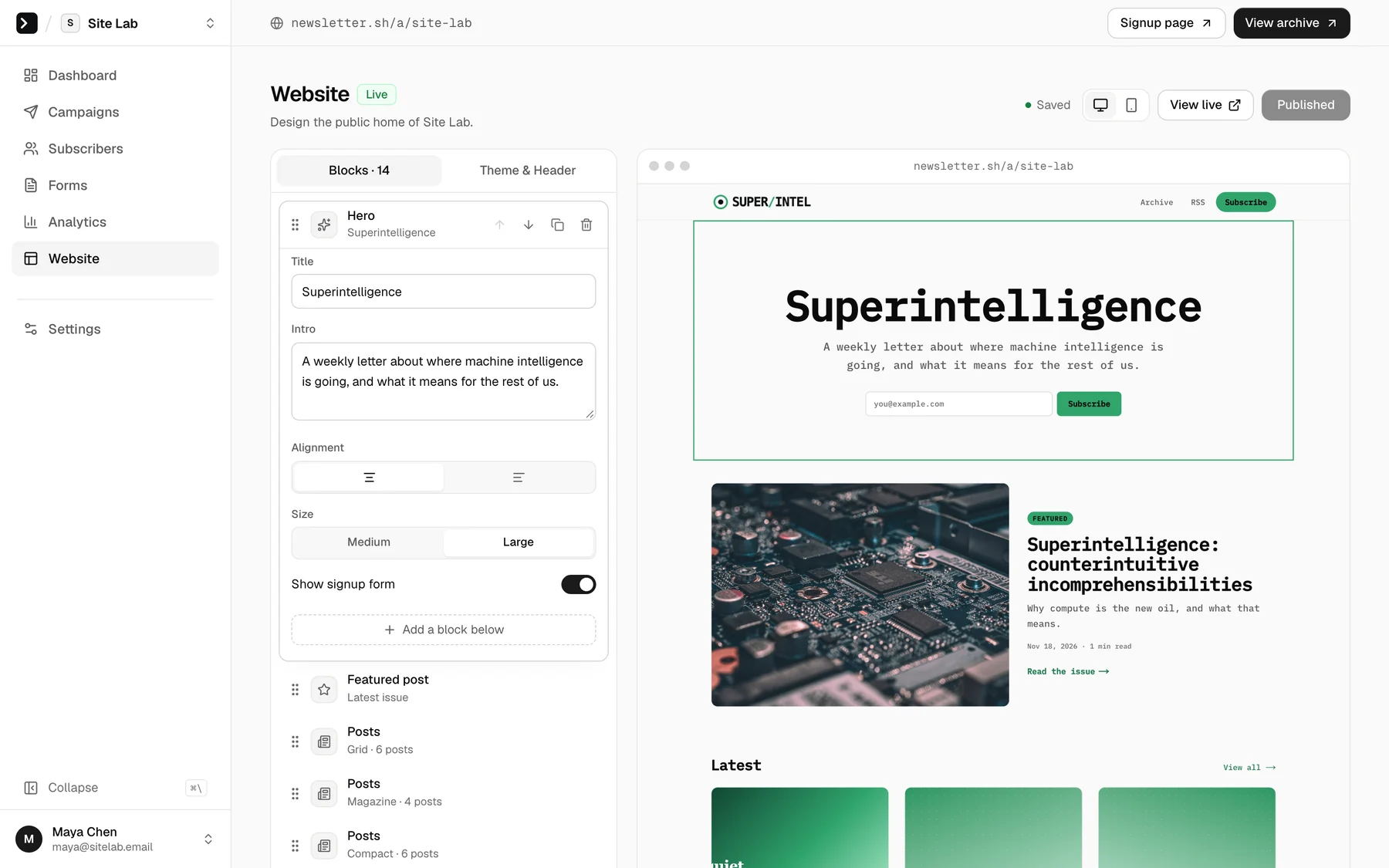
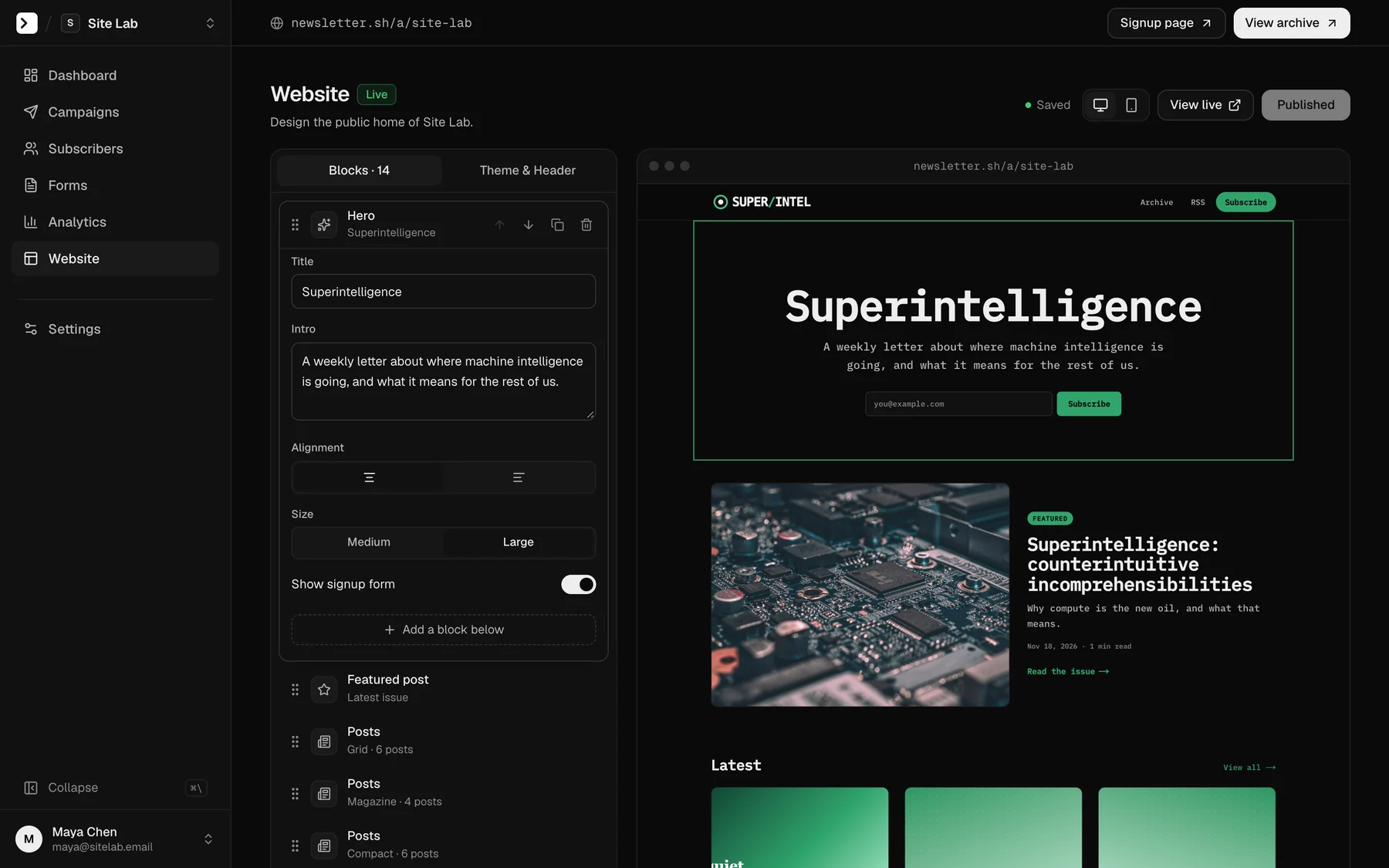
A home on the web for every issue
Every issue gets a fast, indexable page. Design the home page in a visual builder, add your logo in light and dark versions, pick a thumbnail for each issue, and serve it all from your own domain. Or keep it unlisted, or switch it off.
- Logos for light and dark, a square icon, your accent colour
- Thumbnails, share images, SEO titles, RSS and a sitemap
- Public, unlisted or off, on your own subdomain
Your first newsletter in a few minutes
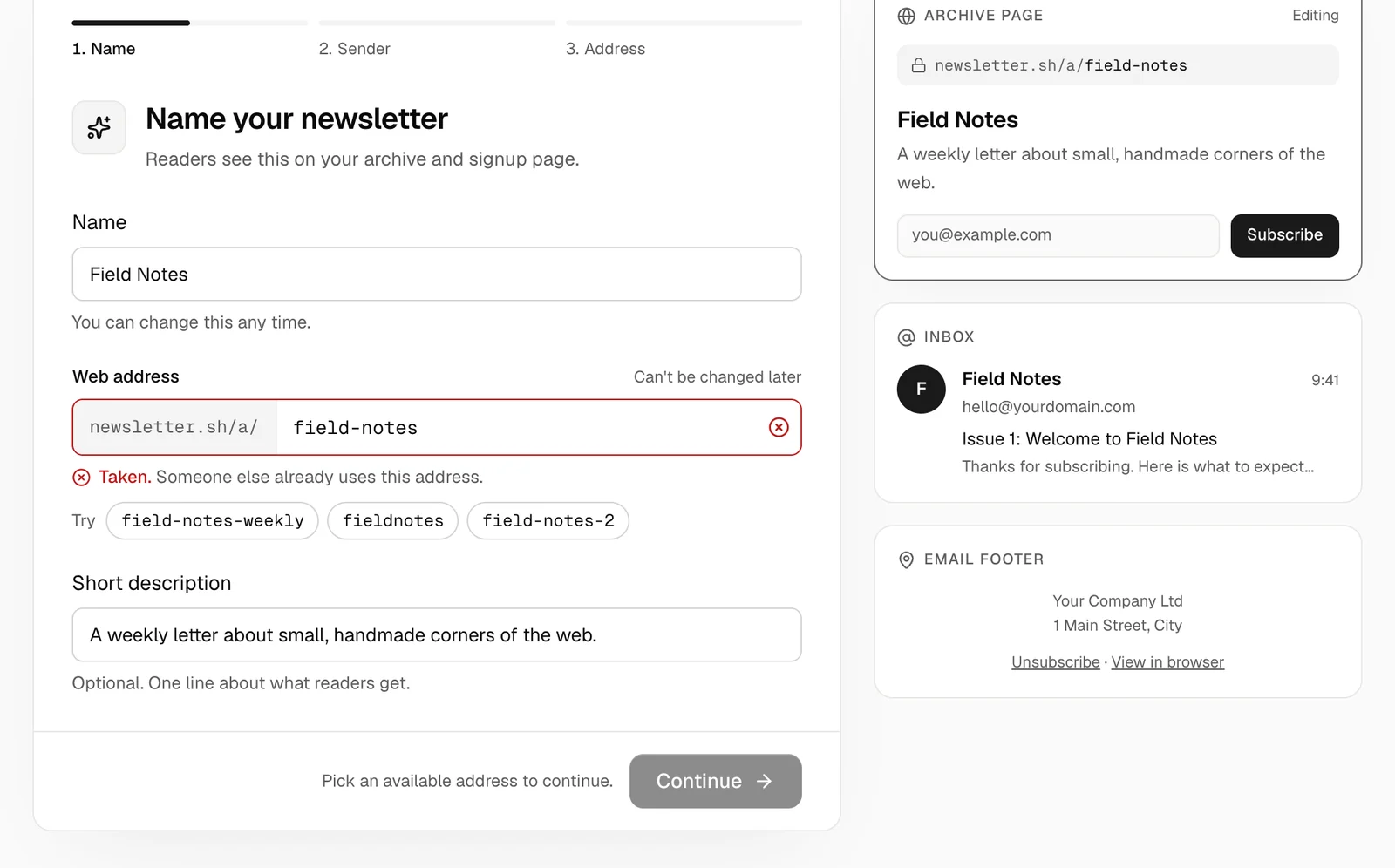
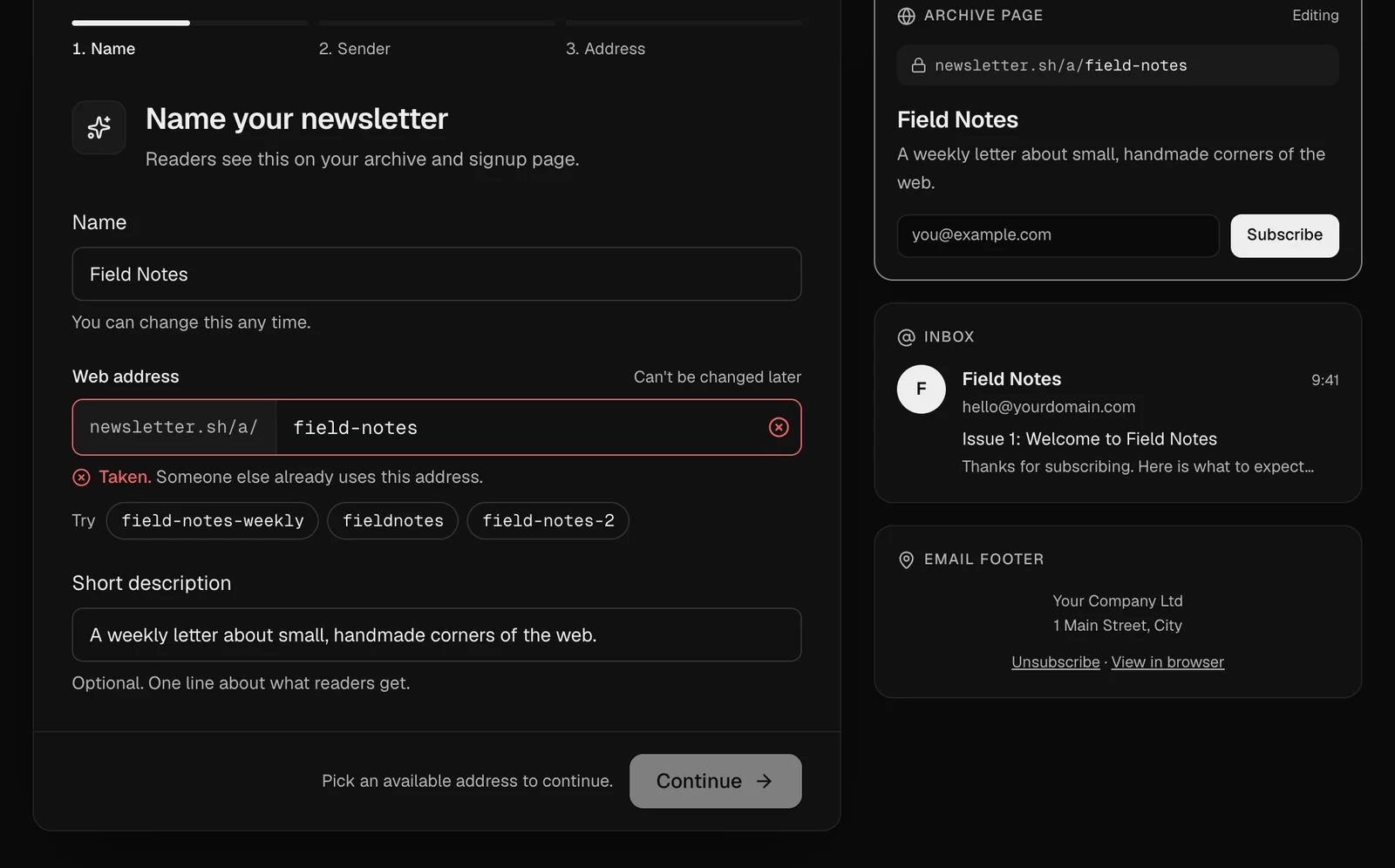
Name it and the web address fills itself in, checked as you type, with alternatives if it's taken. A live preview shows your archive page, how you'll look in an inbox and your email footer, before anything is saved.
- Live address check with suggestions
- Archive, inbox and footer previews as you type
- Then a checklist to connect your sender and send a test
An API and webhooks for everything else
Sync subscribers from your product, publish from your CMS and pull results into your dashboards with scoped API keys. Signed webhooks tell your systems when readers subscribe, open, click, bounce or vote.
- REST API with scoped keys and an OpenAPI 3.1 spec
- Signed webhooks with retries and a delivery log
- Dry-run sends that return the same checks as the Send button
Everything a serious newsletter needs
The features you would otherwise stitch together from three other tools, built in and working together.
Welcome series with A/B subjects
Greet new readers automatically, with conditions on opens and clicks, delivery at their local time, and a 50/50 subject test on any email.
Learn more about welcome series with a/b subjectsOne-click polls
Ask a question in the email. Readers vote with one click and see live results; link scanners can't vote.
Learn more about one-click pollsSponsor reports
A private, live results page for each sponsored issue: reach, clicks per link and how it compares with your last ten.
Learn more about sponsor reportsDelivered at their local time
Land at 08:00 wherever each reader lives, or in the hour they usually read. Resend to non-openers in one switch.
Learn more about delivered at their local timeAccessible by default
WCAG AA contrast across the app and your website, alt-text checks on every email, and automated accessibility tests.
Fast everywhere
Pages start loading their data when you point at a link, and pages you just visited come back instantly, still live.
How access works
- 01
Create an account
Sign up with your email and confirm it with a code. Your account then waits for approval.
- 02
Get approved
A person reviews it, usually within a day, sets up your account, and emails you when you can log in.
- 03
Connect your sender
Create your newsletter, pick Amazon SES or another provider, publish the DNS records it shows, send a test, and you're live.
Questions
How do I get in?
Create an account. It waits for approval: a person reviews every new account, usually within a day, and you get an email the moment it's approved. Bought or scraped lists destroy sending reputations, and reviewing each sender keeps the platform clean.
Which email providers can I use?
Amazon SES by default, which is the cheapest at scale, or Postmark, SendGrid, Mailgun, Resend, Brevo, Mailjet, SparkPost, Elastic Email, SMTP2GO or your own SMTP server. Services whose terms forbid newsletters, such as Gmail, Outlook or Mailchimp Transactional, are left out on purpose.
Can it grow with my newsletter?
Yes. Every account is set up for its needs when it's approved, and we adjust it whenever you need more room: just ask.
Can I switch providers later?
Yes. Set up the new provider in Settings → Sending and switch whenever no campaign is sending. Warm-up restarts for the new provider, mail you already sent keeps reporting its bounces, and your list, reports and archive stay as they are.
Can I export my list?
Any time, from the Subscribers page, as a CSV with status, tags and custom fields. A platform that holds your list hostage is a platform you should leave.
Your list. Your domain. Your sender.
Every account is reviewed by a person and usually approved within a day.
Newsletters on your own sending account. Invite-only, sent through Amazon SES or the provider you already use.